HR Management Software: A Complete Guide to Employee Management and Recruitment in 2026
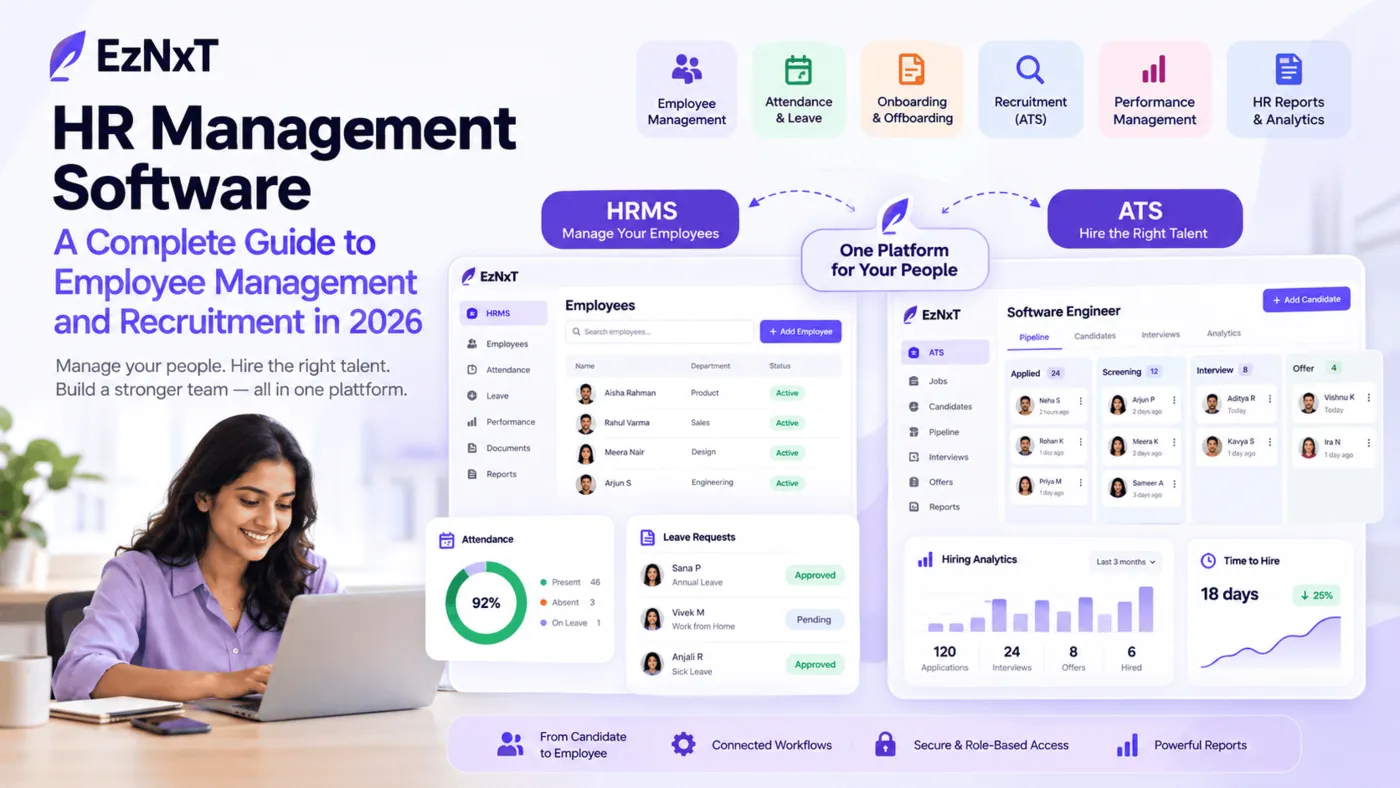
Quick answer: HR management software (HRMS) keeps employee records, attendance, leave, onboarding and payroll in one system, while an applicant tracking system (ATS) manages hiring. For small and growing businesses, choosing HR management software that includes both on one platform removes the hand-off between recruitment and employee management.
Human resource management involves much more than maintaining employee records. HR teams are responsible for hiring new talent, managing employee information, coordinating onboarding, tracking attendance and leave, organising performance reviews, and ensuring that everyday HR processes run smoothly.
When these activities are managed through separate spreadsheets, emails, and disconnected applications, it becomes difficult to maintain accurate records and keep everyone aligned.
This is why businesses are increasingly adopting HR management software that combines employee management and recruitment in one platform.
Whether you are an HR manager in a growing company, a recruitment executive managing multiple vacancies, or a business owner building an internal HR team, the right software can help you organise your workforce and hiring processes more efficiently.
In this guide, we explore the essential features of HR management software, how an Applicant Tracking System (ATS) supports recruitment, and what to look for when choosing a complete HR platform.
What Is HR Management Software?
HR management software is a digital platform that helps organisations manage employees, recruitment, and everyday human resource activities.
Instead of maintaining employee details, leave records, and recruitment pipelines in separate files, HR teams can organise these workflows within a central system.
Depending on the platform, HR management software may include:
- Employee database and document management
- Attendance and leave management
- Employee onboarding and offboarding
- Recruitment and applicant tracking
- Interview scheduling and candidate evaluation
- Performance management
- Employee self-service
- HR reporting and analytics
The objective is to reduce repetitive administrative work, improve information visibility, and help HR teams spend more time on people and organisational development.
Why Do HR Teams Need an Integrated Platform?
1. Manage employee information in one place
HR teams regularly access employee contact details, job titles, departments, joining dates, documents, and employment information.
A central employee database makes this information easier to maintain and retrieve, subject to appropriate access permissions.
2. Simplify attendance and leave management
Manually tracking attendance and leave requests can create unnecessary back-and-forth between employees, managers, and HR.
HR software can help employees submit requests, managers review them, and HR teams maintain organised records.
3. Standardise employee onboarding
Once a candidate accepts an offer, the organisation must collect documents, create employee records, assign responsibilities, and coordinate the joining process.
A structured onboarding workflow helps HR teams follow consistent steps for every new employee.
4. Improve recruitment visibility
Recruiters often manage multiple job openings and candidates simultaneously. Without a central recruitment pipeline, it can be difficult to know who has been screened, interviewed, shortlisted, or offered a position.
An ATS helps recruiters track each candidate’s progress and organise hiring activities.
5. Improve coordination between HR and hiring managers
Recruitment involves multiple stakeholders, including recruiters, department heads, interviewers, and management.
A shared system helps teams coordinate interview feedback, hiring decisions, and candidate status updates.
What Is an Applicant Tracking System (ATS)?
An Applicant Tracking System is software designed to organise and manage the recruitment process.
While HRMS focuses primarily on employee management, ATS focuses on candidates before they become employees.
Typical ATS features include:
- Job requisition and vacancy management
- Candidate database and application tracking
- Resume storage and screening
- Recruitment pipeline management
- Interview scheduling and feedback
- Candidate status updates
- Offer management
- Recruitment reports and hiring metrics
For HR teams handling multiple vacancies, an ATS creates a structured view of the hiring process and helps reduce reliance on scattered spreadsheets and email threads.
HRMS vs ATS: What Is the Difference?
| Capability | HRMS | ATS |
|---|---|---|
| Employee records | Core function | Limited candidate records |
| Attendance and leave | Core function | Not usually a core function |
| Employee onboarding | Core function | Supports pre-boarding and handover |
| Job openings | May be available | Core function |
| Candidate pipeline | May be available | Core function |
| Interview coordination | May be available | Core function |
| Performance management | Common capability | Not usually a core function |
| Recruitment analytics | Limited or integrated | Core function |
HRMS and ATS serve different purposes but complement each other. An integrated platform can connect the recruitment process with employee onboarding, reducing duplicate data entry and helping HR teams maintain continuity.
Essential Features to Look for in HR and Recruitment Software
Before choosing a platform, consider whether it supports the following workflows.
Employee management
Look for centralised employee profiles, document management, department information, employment details, and controlled access to sensitive records.
Recruitment pipeline
Recruiters should be able to track candidates across hiring stages, manage job openings, record interview feedback, and identify pending actions.
Attendance and leave
Employees and managers should have a clear process for submitting, reviewing, and tracking leave and attendance information.
Onboarding and offboarding
The platform should help HR teams follow repeatable checklists when employees join or leave the organisation.
Reporting and analytics
Useful reports include headcount, leave utilisation, recruitment pipeline status, hiring activity, and time-to-hire where supported.
Role-based access
HR data is sensitive. The platform should support appropriate permissions so employees, managers, recruiters, and administrators can access only the information required for their responsibilities.
Integration with other business operations
As a company grows, HR may need to coordinate with finance, sales, projects, and management. A platform that connects these functions can reduce the need to switch between disconnected systems.
How EzNxT Helps Connect HR and Recruitment Workflows
EzNxT is a business management platform that includes both HRMS and ATS capabilities, alongside tools for other business operations.
Its HRMS and ATS modules are designed to support different stages of workforce management.
With HRMS, HR teams can organise:
- Employee records and information
- Attendance and leave workflows
- Employee documents and related details
- Performance management
- HR administration and reporting
With ATS, recruitment teams can organise:
- Job openings and candidate information
- Candidate pipelines and hiring stages
- Interview scheduling and feedback
- Recruitment progress and hiring activities
- Candidate information needed for the next stage of the hiring process
Together, these capabilities provide a foundation for managing both existing employees and new candidates.
Because EzNxT also includes CRM, project management, accounting, and other business tools, organisations can evaluate whether a broader platform fits their operational needs.
Explore EzNxT HRMS, EzNxT ATS, and the complete product suite.
How Much Does HR Management Software Cost?
HR software pricing depends on employee count, recruitment requirements, payroll needs, integrations, and the level of support required.
Common pricing models include free plans for smaller teams, per-employee or per-user subscriptions, module-based pricing, and custom plans for larger organisations.
Free for up to 10 users. Check the official pricing page for current terms and module availability.
Before choosing any HR platform, compare the complete cost of the features you need rather than looking only at the starting price.
How to Choose the Right HR Management Platform
Ask these questions before making a decision:
- Can the system manage existing employees and new candidates?
- Does it support the HR workflows your organisation uses every day?
- Can recruiters and hiring managers collaborate effectively?
- Are employee records protected through role-based access?
- Can the platform support your organisation as it grows?
- Are the pricing, integrations, and implementation requirements clear?
The right platform should fit your organisation’s current needs while allowing your HR processes to become more structured over time.
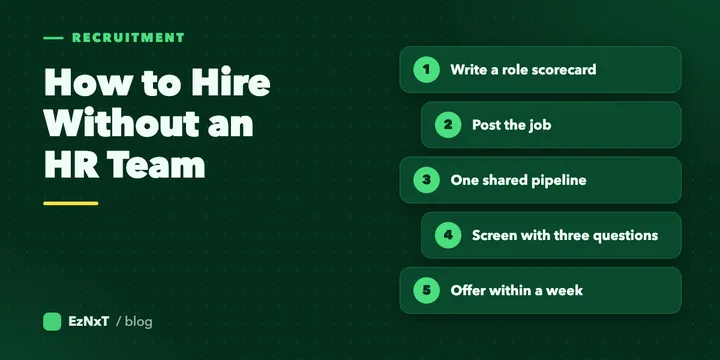
Related reading: how to run payroll in India, attendance policy template, how to hire without an HR team, PF applicability.
Frequently Asked Questions
What is the best HR management software for small businesses?
The best platform depends on employee count, recruitment volume, HR requirements, and budget. Compare employee management, attendance, onboarding, ATS capabilities, reporting, and pricing before selecting a solution.
Can HRMS and ATS be used together?
Yes. HRMS manages employee information and HR processes, while ATS manages recruitment. Using both together can help connect hiring and onboarding workflows.
What is the difference between employee management software and recruitment software?
Employee management software focuses on people already working in the organisation. Recruitment software focuses on attracting, screening, evaluating, and hiring candidates.
Can one platform manage both employees and candidates?
Yes. Platforms that offer HRMS and ATS can support both workflows, although the specific features and integrations vary by provider.
Is HR management software suitable for startups?
Yes. Startups can use HR software to establish consistent employee records, organise hiring, standardise onboarding, and prepare for future workforce growth.
Conclusion
Effective HR management begins with organised processes and reliable information.
By combining employee management with recruitment workflows, businesses can reduce administrative friction, improve hiring visibility, and create a more consistent employee experience.
If your organisation is looking for a platform to manage HR operations and recruitment alongside other business functions, explore EzNxT.
Visit EzNxT to discover how its HRMS and ATS capabilities can support your team’s day-to-day operations.