How to Track Company Laptops: A Simple System for Small Businesses
Quick answer: to track company laptops, give every device a unique asset tag and record it in one register with its serial number, cost and assigned employee. Make a signed handover note each time a laptop changes hands, verify devices physically twice a year, and make laptop return a mandatory step in every employee’s exit checklist.
Laptops are usually a small company’s most valuable movable assets, and the easiest to lose track of. They get swapped between colleagues, taken home, sent for repair and, too often, never returned when someone leaves. A light system fixes this without slowing anyone down.
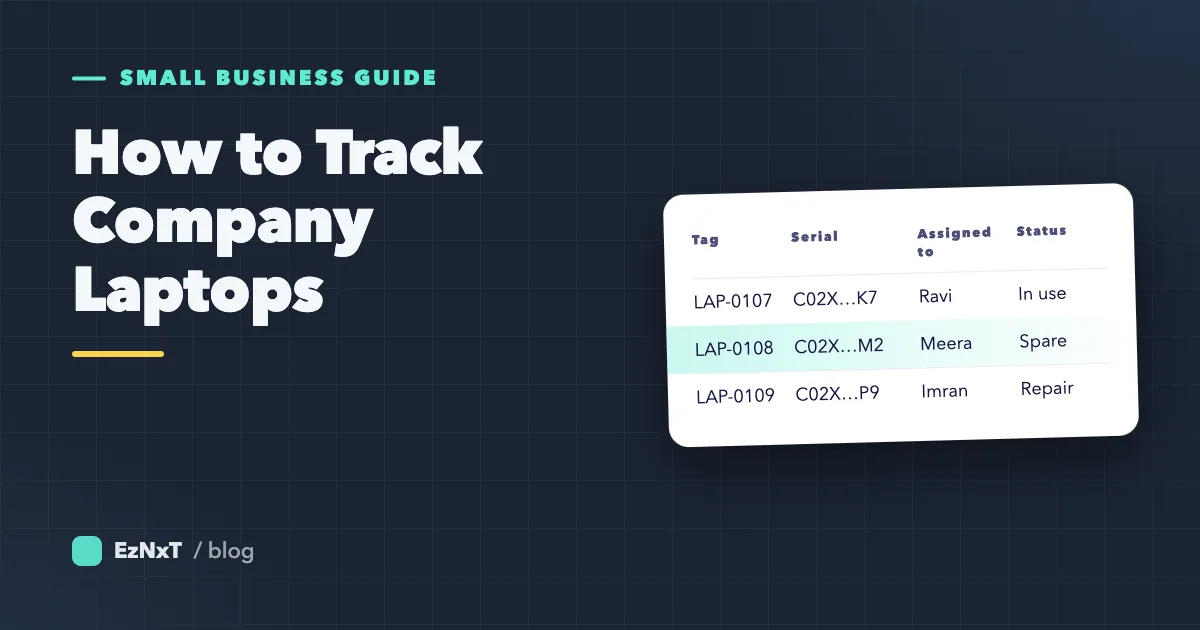
What to record for each laptop
| Field | Example |
|---|---|
| Asset tag | LAP-0107 |
| Make, model, serial number | Dell Latitude, 16 GB, serial 7XK2L93 |
| Purchase date, invoice, cost | 12 May 2026, INV-4471, ₹68,000 |
| Warranty expiry | 11 May 2029 |
| Assigned to, date assigned | Priya S., Sales, 15 May 2026 |
| Accessories issued | Charger, bag, mouse |
| Condition and last check | Good, verified 30 Sep 2026 |
These are the same columns as a full fixed asset register, filtered to IT devices, so finance and IT can use one record.
How to track company laptops in 6 steps
- Tag every laptop. Stick a QR code or barcode label with the asset ID on the underside. Scanning beats reading serial numbers off stickers.
- Keep one register. One list for the whole company, not a sheet per office or manager.
- Record every handover. When a laptop is issued, swapped or returned, log the date, condition and both people’s names, with a short signed or acknowledged handover note.
- Connect it to HR. Link each device to the employee record, so onboarding issues a laptop and exit triggers its return.
- Audit twice a year. Ask everyone to scan or confirm their device in the same week; chase anything unconfirmed.
- Track repairs and warranty. Log service visits so you know when a device is costing more than it is worth.
Laptop handover form: what to include
- Employee name, ID and department
- Asset tag, model and serial number
- Accessories issued
- Condition at handover (with photos for expensive devices)
- Acceptable-use acknowledgement: company data, software installs, travel
- Date and acknowledgement from both sides
Recovering laptops when employees leave
Most lost laptops disappear at exit. Make device return part of the exit checklist, check the laptop against the register (tag, serial, accessories, condition), and close the assignment before the full and final settlement is processed. Communicate the timeline early and politely; most people return devices when the process is clear. See how to run payroll in India for the full and final settlement step.
Spreadsheet or laptop tracking software?
A spreadsheet works for a handful of laptops in one office. Once devices are spread across locations, people change roles often, or you need audit history, laptop tracking software saves time: scan-based audits, assignment history per employee, maintenance reminders and reports for your auditor. Read what asset management software does.
Frequently Asked Questions
How do small businesses track company laptops?
By tagging each laptop with a unique asset ID, keeping one register of who has which device, recording every handover, and verifying devices physically at least twice a year.
What is a laptop handover form?
A short record, signed or acknowledged by the employee, confirming the laptop’s tag, serial number, accessories and condition when it was issued, and the employee’s responsibility for it.
How can I make sure employees return laptops when they leave?
Link laptop assignment to the employee record, include device return in the exit checklist, and close the assignment before processing the full and final settlement.
Should laptops be in the fixed asset register?
Yes. Laptops are fixed assets: record them with cost and depreciation (computers have a three-year useful life under the Companies Act) as well as their assigned employee.
Is there free laptop tracking software?
Yes. EzNxT Asset Tracker is free for up to 10 users and supports a register with serial numbers and warranty dates, assignment to employees and Excel export.
See EzNxT Asset Tracker and connect devices to employee records in EzNxT HRMS.